


FLUX 3 Max AI Video Generator
Fast Iteration Meets Cinematic Motion
Explore FLUX 3 Max, the post-trained video model from fal Research working with Black Forest Labs. The FLUX 3 Max AI Video Generator combines text and image inputs with improved visual fidelity, motion coherence, and prompt adherence. This page explains the official model and practical shot design. SeeAPI has not listed this model in its current video selector or public catalog; use the available video tools below for related workflows. Artwork here is illustrative concept imagery, not verified model output.

Turn A Shot Idea Into A Video
Use this three-step workflow with a currently supported SeeAPI model. The FLUX 3 Max AI Video Generator capabilities described below remain distinct from the tools available on this site.

Enter Your Prompt Or Upload An Image
Start with a clear shot description or a sharp source image. In an available SeeAPI video tool, choose a supported model and input mode. Describe the subject, action, setting, lighting, and camera move; keep one main action per shot.

Click Generate
Review only the settings offered by your selected tool, then click Generate. Check the displayed cost before submitting. Availability, duration, resolution, and audio depend on that model; the official benchmark discussed here does not promise the same waiting time on SeeAPI.
Download Your Video
Wait for the selected tool to finish, preview the result, and use its download control. Inspect faces, hands, motion, and product details before sharing. Refine one prompt element at a time when a shot needs another take or a clearer action.
What Makes FLUX 3 Max Worth Evaluating
The FLUX 3 Max AI Video Generator brings a specific combination of post-training, lower measured latency, and visual refinement. Evaluate each strength against the shot you need, using official claims with their original context.

FLUX 3 Max Text To Video
Build a scene from natural language: an original adult character, a purposeful action, a location, and a deliberate camera move. The FLUX 3 Max AI Video Generator is designed to interpret a connected visual idea rather than a collection of disconnected style words. Start with a tracking shot beside someone walking through a coastal village, then specify golden light, moving fabric, and realistic surroundings.
FLUX 3 Max Image To Video
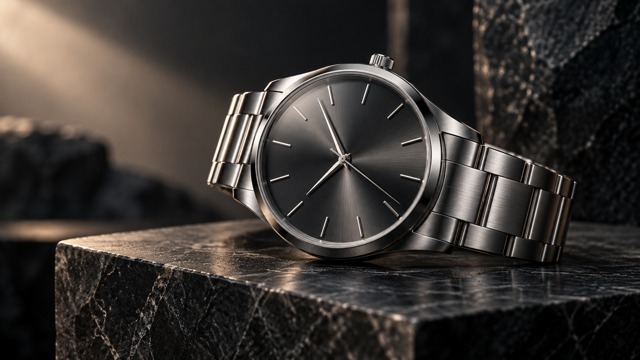
A portrait, product photograph, or concept illustration can establish the starting composition. The FLUX 3 Max AI Video Generator adds directed motion to that visual foundation through its official image-to-video endpoint. Describe what changes over time: a head turns, a wristwatch catches a moving reflection, or the camera slowly approaches a subject. Begin with a clean image and avoid contradictory camera instructions. Source quality matters because blurred faces, obscured objects, and confusing anatomy leave less useful visual information for animation. Review identity and detail stability in every result.
Fast Generation For Creative Iteration
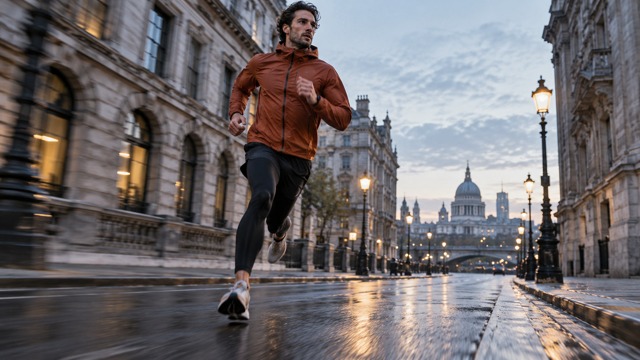
The official FLUX 3 Max benchmark reports approximately 12.45 seconds to generate a ten-second video, compared with 126.44 seconds for the baseline in that comparison. These are published test results, not a SeeAPI service commitment. For creators evaluating a Fast AI Video Generator, lower latency can shorten the feedback loop between a prompt and its next revision. The FLUX 3 Max AI Video Generator is especially interesting for testing camera choices, shot timing, and alternate art directions.
Prompt Adherence With Cinematic Motion
The FLUX 3 Max Model was post-trained for stronger prompt adherence alongside visual and motion improvements. Write a sequence the camera can actually capture: a runner enters frame, passes the lens, and continues down the street. The FLUX 3 Max AI Video Generator can be explored with explicit subject movement, camera tracking, and secondary environmental motion. Natural shadows, detailed materials, balanced composition, and coherent movement matter more than simply adding cinematic to every sentence. Complex choreography still deserves careful visual review.
Natural Character Animation
Character scenes benefit from small, readable actions: a relaxed turn, a gentle smile, a steady walk, or a moment of attention. The FLUX 3 Max AI Video Generator can start from a character description or an image through its official modes. A believable performance also depends on consistent facial features, clothing, and anatomy, so inspect these details before incorporating a clip into a sequence. Use original adult characters and describe body movement at a realistic pace. Preserve a clear relationship between the subject and the camera. Avoid asking for several incompatible gestures in one brief shot.

Cinematic Video Quality
A Cinematic AI Video Generator becomes useful when atmosphere supports the story. FLUX 3 Max focuses on improved visual fidelity as well as speed, making it relevant to scenes with textured architecture, reflected light, mist, and layered environments. The FLUX 3 Max AI Video Generator should be evaluated on the whole frame, including background consistency and the relationship between highlights and shadows. Use concept frames to communicate a desired mood without treating an illustration as a measured output sample.
Native Audio Capability
The official text-to-video interface supports video with audio. That makes FLUX 3 Max relevant to creators investigating AI Video with Audio, but audio capability at the provider level does not establish a SeeAPI audio switch or endpoint. The FLUX 3 Max AI Video Generator is not currently listed in the inspected SeeAPI model selector. Do not assume precise lip synchronization, separate music tracks, or multitrack editing.
Video Ideas For Creative Teams
Explore FLUX 3 Max through focused production goals. These examples describe possible creative directions, not commissioned customer results or guaranteed outcomes.

Product Advertising And Brand Stories
Use a product image as a visual anchor for a reveal, an orbit, or a controlled lighting change. The FLUX 3 Max AI Video Generator is relevant to ecommerce concepts and digital ad exploration where material detail matters. Plan where the product must remain readable, then check proportions, reflections, and branding accuracy. Build campaign variations around one clear visual objective; final advertising still needs human review and any required rights clearances.

Film Storyboards And Fantasy Concepts
Explore a location, a dramatic entrance, or a camera move before a full production. FLUX 3 Max Video can help frame discussions about timing, atmosphere, and visual storytelling. The FLUX 3 Max AI Video Generator is a candidate for concept development, including invented worlds and architectural scenes. Keep each shot connected to the narrative beat. A storyboard test helps a team make decisions without pretending to replace continuity planning, editing, or an entire production pipeline.

Character And Fashion Shorts
Plan an original character walking, turning, or interacting with a simple environment. For fashion, describe fabric movement and body posture alongside the camera direction. The FLUX 3 Max AI Video Generator offers official text and image starting points for this kind of exploration. Review face consistency, garment structure, hands, and foot placement before selecting a take for social content or a brand mood film.

Travel, Nature, And Social Content
Combine a readable landscape with restrained environmental movement: mist crossing a lake, leaves moving in a breeze, or a slow reveal of a mountain valley. The FLUX 3 Max AI Video Generator suits research into atmospheric short-form visuals and travel-inspired concepts. Choose framing for the intended channel and make the opening action understandable quickly.
FLUX 3 Max FAQ
Answers distinguish official capabilities from current SeeAPI availability, so creators and developers can evaluate the model without confusing separate services.
It is a post-trained variant of FLUX 3 Video, optimized for visual quality, prompt adherence, and lower latency. The FLUX 3 Max AI Video Generator supports official text-to-video and image-to-video workflows. It is a video model, distinct from FLUX image-generation products, including Image Klein. This page introduces its capabilities without claiming an active SeeAPI integration. See the official overview.
Explore Your Next Video Idea
Use what you have learned about FLUX 3 Max to write a clearer shot brief. Open SeeAPI’s available video tools, choose a supported model, and test a text or image workflow. Compare the actual result, settings, and cost before making it part of your production.