Loading workspace...

GTA 6 Video Maker AI

Turn Your Idea Or Photo Into A Game-Style Story

GTA 6 video maker AI puts your own character inside an open-world game-style scene. Give GTA 6 video maker AI a side mission, a chase or an unexpected encounter with a clear ending. GTA 6 AI video generator follows your creative direction for the character, setting and movement. A GTA style video can feel like a mission unfolding through a third-person camera. Start GTA 6 video maker AI from words or upload a photo. GTA 6 video maker AI brings the gameplay-inspired look to the story you want to tell.

Text To Video
Image To Video
Third-Person Game Style
Hero image
GTA 6 Video Maker AI

Create The Character, The Mission And The Payoff

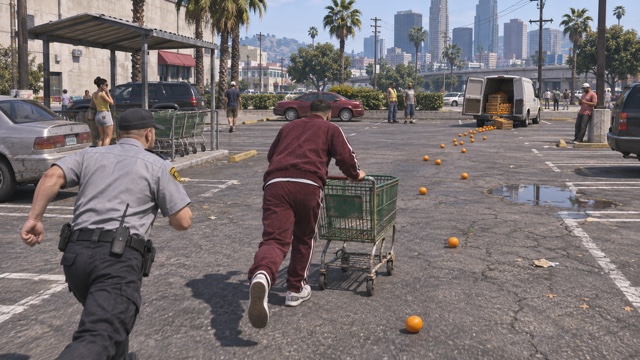
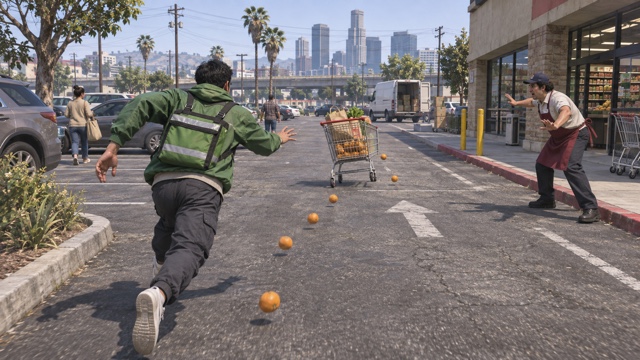
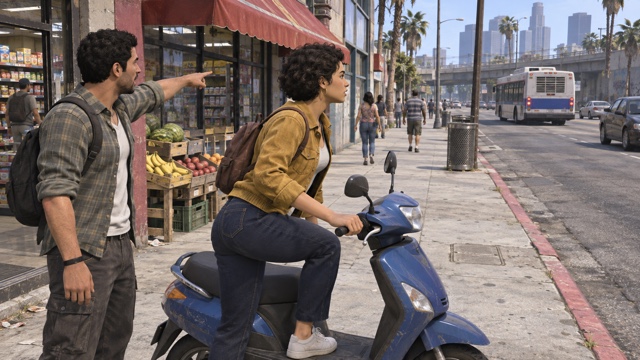
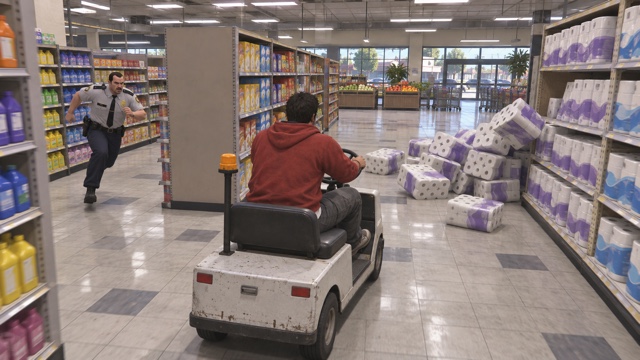
GTA 6 video maker AI is built around game-style action and storytelling. These original concept frames illustrate the intended visual direction: playable-looking characters, readable environments and a camera that follows the action.

Turn A Written Idea Into A Side Mission

Turn A Written Idea Into A Side Mission

GTA 6 video maker AI starts with what your character wants and what gets in the way. A courier misses the bus, a shopper loses control of a cart, or a driver takes the wrong turn. GTA 6 text to video lets you invent that situation without preparing an image. GTA 6 AI video generator uses your description to establish the character, location and action in a game-rendered world.

A GTA style video becomes easier to follow when the goal is visible. Tell GTA 6 video maker AI where the character is heading, how the problem develops and what changes at the end. GTA 6 video maker AI can explore funny everyday missions as well as vehicle pursuits. For GTA 6 video maker AI, fit the action to the chosen duration and avoid filling a short clip with unrelated locations. With GTA 6 video maker AI, a simple setup and a clear payoff can carry the whole idea.

Become A Character In The Game World

Become A Character In The Game World

GTA 6 video maker AI also accepts a starting image when you want the character or scene to come from something familiar. GTA 6 image to video can use a clear portrait, original character artwork or an existing composition. To make a GTA 6 video from a photo, describe how the subject should act within the game world. GTA 6 AI video generator receives both the visual reference and your direction for the story.

GTA 6 video maker AI uses a GTA style video instruction for game-rendered materials and movement while keeping recognizable details from the image. GTA 6 video maker AI can reinterpret facial features, clothing and background, so a clear source matters. Match the action to the reference and review identity throughout the result. A turning character or a short run is a practical starting point. GTA 6 video maker AI should give the person something to do, rather than leaving them in a static promotional pose.

Follow The Action Like A Game Camera

Follow The Action Like A Game Camera

GTA 6 video maker AI uses a third-person game-camera direction to keep the main character and the route easy to read. Follow a rider into an alley, track a cart between supermarket aisles or widen as a character notices an obstacle. GTA 6 AI video generator takes these camera instructions from your brief. A GTA 6 gameplay style video needs a clear relationship between the character, destination and surrounding space.

For a GTA style video, the camera should support the action rather than compete with it. GTA 6 video maker AI can be directed toward a compact mission-style HUD, but precise lettering and persistent interface details need careful review. In GTA 6 video maker AI, keep a map or objective cue small enough to leave the action visible. GTA 6 video maker AI is most useful when the shot has an understandable cause and effect: the obstacle appears, the character reacts and the scene reaches a visible result.

How To Use GTA 6 Video Maker AI

Use GTA 6 AI video generator to describe your GTA style video mission. GTA 6 video maker AI includes the game-style direction; your prompt supplies the character and event.

1

Choose Text Or Image

Select Text To Video to start with an idea. For Image To Video, choose Start / End Frame and upload one photo.

2

Describe Your Mission

Write who the character is, what they want and what happens. Include a camera direction, HUD preference or short ending if needed.

3

Generate And Review

Check the selected settings and displayed cost, then generate. Watch the whole clip and download the version you want to keep.

Give GTA 6 Video Maker AI A Playable-Looking Brief

GTA 6 video maker AI supports both starting modes. Match the GTA 6 AI video generator brief to the GTA style video you want to make.

Use GTA 6 Text To Video For New Missions

GTA 6 video maker AI works from the event you describe. In GTA 6 video maker AI, choose a clear objective: catch a cart or reach a bus. GTA 6 text to video can establish the setting around that goal. A focused GTA style video gives GTA 6 AI video generator a goal to follow. A GTA style video can follow a simple mission. GTA 6 video maker AI can turn a small everyday problem into an entertaining sequence.

Choose GTA 6 Image To Video For Your Character

GTA 6 video maker AI uses your uploaded picture to guide the visible subject or composition. GTA 6 image to video is useful when a recognizable face, jacket or character design matters. When you make a GTA 6 video from a photo, explain the action as well as the look. GTA 6 AI video generator may reinterpret fine details during movement. Match your GTA style video to the source. GTA 6 video maker AI benefits from a clear subject and an action you can judge.

Direct A GTA 6 Gameplay Style Video

GTA 6 video maker AI can be prompted to keep the camera behind and slightly above the main character. A GTA 6 gameplay style video becomes readable when the viewer sees both the person and the route ahead. Use GTA 6 AI video generator for a side or overhead view to explain obstacles. For a GTA style video, choose a small number of useful views. GTA 6 video maker AI should make the event understandable before you add elaborate camera changes.

Visible Controls Help You Plan The Clip

GTA 6 video maker AI shows available settings. Check GTA 6 AI video generator settings and displayed cost before submitting. GTA 6 AI video generator options depend on the selection and account access. Frame your GTA style video for its destination. Review your GTA 6 video maker AI clip; finish exact graphics and longer edits separately.

Build Your Next GTA 6 Video Maker AI Story

Use GTA 6 video maker AI for character-led scenes with a setup, an action and a result. A GTA 6 AI video generator brief can be funny, tense or simply unexpected.

Make An Everyday Mission Comedy

Use GTA 6 video maker AI to treat a tiny inconvenience like a major mission. A supermarket cart escapes, a courier cannot find the right entrance or an impatient passenger chases a bus. GTA 6 text to video invents cast and location. GTA 6 AI video generator can follow a short chain of actions that ends with a joke. Keep the GTA style video focused on a readable problem and a character reaction. GTA 6 video maker AI is a starting point for an original comic scene, with the timing and final edit yours to refine.

Put Yourself In A Game-Style Scene

Make a GTA 6 video from a photo when you want the main character to feel personal. GTA 6 video maker AI can use your image as the reference for an original game-rendered character. GTA 6 image to video then follows your description of movement and setting. Ask GTA 6 AI video generator for a short mission, such as delivering a parcel after a detour. A GTA style video can use familiar details without copying a real game character. Review your GTA 6 video maker AI result for likeness and believable body movement.

Create A Chase With A Clear Outcome

GTA 6 video maker AI can explore a scooter detour, a cart chase or another original pursuit. A GTA 6 gameplay style video needs a visible route, an obstacle and a sensible finish. Give GTA 6 AI video generator a manageable sequence rather than several unrelated stunts. A GTA style video can follow a detour around a blocked alley. GTA 6 video maker AI lets you develop that moment from text or an image. Review wheels, turning, contact with the ground and character movement before choosing the take.

Build A GTA 6 Gaming Intro

A GTA 6 gaming intro can place your host inside a short, memorable mission. Use GTA 6 video maker AI for an arrival that immediately turns into an unexpected problem or comic payoff. GTA 6 AI video generator creates the moving scene; add the exact channel name and your final sound mix where you edit. Frame the GTA style video so the main action survives the destination crop. GTA 6 video maker AI does not need a long opening to introduce a personality. A GTA 6 gaming intro establishes the mood before your main content.

GTA 6 Video Maker AI Questions

Answers about GTA 6 video maker AI and starting images. Plan your GTA style video with GTA 6 AI video generator.

GTA 6 video maker AI creates original AI scenes with an open-world game-inspired look. Think third-person character action, mission-like situations and short stories with a payoff. GTA 6 AI video generator uses your prompt and, in image mode, your starting picture. The GTA style video is a generated interpretation of your idea, so inspect the action and continuity before adding it to a larger edit.

Your Character. Your Mission. Your Payoff.

Create With GTA 6 Video Maker AI

Start a GTA style video from words or a picture. GTA 6 AI video generator takes your idea into a game-inspired scene. Give GTA 6 video maker AI a clear goal, a complication and an ending. Check the settings and make your next GTA 6 video maker AI story.

Text To Video
Image To Video
Game-Style Direction