


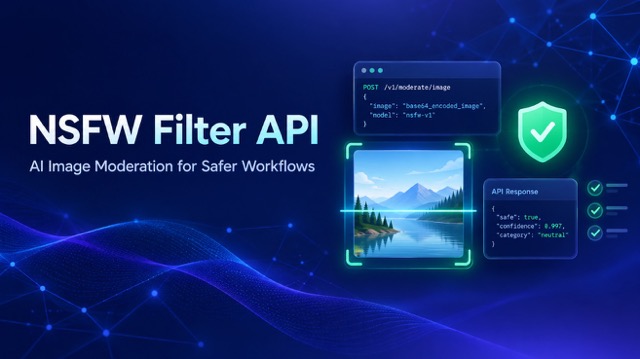
As more products rely on user-uploaded media and AI-generated visuals, image moderation has become a practical part of building a trustworthy digital experience. A single inappropriate image can affect community quality, customer confidence, campaign safety, and operational workload. The challenge is even greater for platforms that process images at scale.
SeeAPI NSFW Filter helps developers, product teams, AI applications, marketplaces, and content platforms identify potentially unsafe images before those images move further through a workflow. It provides an API-first approach to AI-assisted image moderation, allowing teams to submit an image URL, receive a structured moderation result, and apply their own product rules.
Rather than replacing human judgment, an NSFW Filter gives your workflow an early safety signal. That signal can help you prioritize manual review, pause publication, route assets to the correct moderation queue, or apply content rules consistently across large volumes of visual content.
What Is an NSFW Filter?
NSFW stands for “Not Safe For Work.” It is commonly used to describe visual material that may be inappropriate for professional, public, age-sensitive, or community-facing environments.
An NSFW Filter is an AI-powered system that analyzes an image and determines whether the image may contain content that should be flagged for review under a product’s safety or moderation policy. In practice, it helps teams screen images before they are published, displayed, shared, indexed, delivered to users, or stored in a public-facing media library.
The SeeAPI NSFW Filter is designed specifically for image moderation workflows. It accepts one publicly accessible image URL per request and returns structured output that your application can use to make a policy-driven next-step decision.
For example, a product may use an NSFW Filter to:
Send flagged images to a human moderator
Delay publication until an image is reviewed
Require additional approval for user-generated media
Add safeguards to an AI image generation workflow
Apply age-gating or visibility rules
Create audit logs for potentially sensitive submissions
Prioritize high-risk content in a large moderation queue
The key benefit is not simply automation. It is giving teams a more consistent starting point for making thoughtful moderation decisions.
How SeeAPI NSFW Filter Works
The SeeAPI NSFW Filter uses an asynchronous inference workflow. This is useful for production environments because image analysis does not need to block the rest of your product experience while the task is processing.
To start, your application creates an inference task using the nsfw-filter model and the image-moderation endpoint. The request includes a single image_url that SeeAPI can access publicly.
The image URL must be reachable without private browser credentials, session cookies, or restricted access. The maximum supported image size is 20 MB. If you use a signed URL or a temporary storage URL, make sure it remains valid until the moderation task has completed.
After the request is accepted, SeeAPI returns an inference task ID and an initial task status. The task may be queued or processing while the image is being analyzed.
Your application can then use one of two approaches:
Poll the inference task using GET /v1/inferences/{task_id}
Provide an optional HTTPS callback URL to receive a notification when the task reaches a terminal state
You can review the full request, response, task lifecycle, and implementation examples in the NSFW Filter Image Moderation API documentation.
This asynchronous model is especially useful for AI media products, creator platforms, user-generated content systems, marketplaces, and operational workflows where images may arrive continuously or in large volumes.
Understanding the NSFW Filter Result
When an NSFW Filter task completes successfully, SeeAPI returns a structured JSON result. The result is designed to be easy for applications to interpret and incorporate into existing moderation logic.
A completed result includes:
flagged: An overall boolean detection result
categories.nsfw: Detected labels in the normal NSFW category group
categories.special_care: Detected labels in the special-care category group
status: The inference task state
error: Error details when the task itself fails
A simplified successful response can look like this:
{
  "id": "task_xxx",
  "object": "inference",
  "model": "nsfw-filter",
  "endpoint": "image-moderation",
  "provider": "seeapi",
  "status": "succeeded",
  "result": {
    "type": "json",
    "data": {
      "flagged": false,
      "categories": {
        "nsfw": [],
        "special_care": []
      }
    }
  },
  "error": null
}
It is important to interpret this output correctly.
A task status of succeeded means that the image detection task finished. It does not mean that the image automatically passed your moderation policy.
Similarly:
flagged: true means the model flagged the image under the settings used for that task.
flagged: false means the model did not flag the image under the settings used for that task.
An empty category array means no labels were reported in that group for that specific run.
A non-flagged result should not be treated as a universal legal, safety, cultural, or contextual guarantee.
The most reliable way to use an NSFW Filter is as an AI-assisted decision signal. Your application should define what happens next based on your own platform rules, audience expectations, local requirements, and escalation process.
Configure Detection for Your Product Policy
Not every platform needs the same moderation behavior. A professional workplace product, public community, education platform, creative marketplace, and AI image generator may all operate with different levels of risk tolerance.
SeeAPI NSFW Filter provides configuration options that allow teams to adapt the detection workflow more closely to their moderation policy.
Adjust Normal NSFW Matching with threshold_offset
The threshold_offset parameter adjusts normal NSFW matching behavior.
The default value is 0.02
Supported values range from 0 to 0.1
Values must use increments of 0.01
Higher values make normal NSFW detection less strict
For example, 0.02 and 0.03 are valid values, while 0.025 is not.
A higher threshold_offset may reduce the number of images that are flagged. However, it can also increase the risk of false negatives, where potentially unsafe content is not flagged. Teams should test settings carefully against their own content sample and moderation standards rather than assuming there is a single “best” sensitivity level.
Control Special-Care Matching with strict_special_care
The strict_special_care option determines whether special-care matches strengthen normal NSFW concept matching.
By default, strict_special_care is set to true.
When enabled, special-care matches contribute to stricter normal NSFW matching behavior. When set to false, special-care labels can still be returned in the result, but they do not strengthen normal NSFW matching. Setting this option to false does not disable label reporting and does not guarantee that an image will pass moderation.
These settings make the NSFW Filter more useful as an integration component. Instead of forcing every business into one fixed policy, SeeAPI provides structured model output and configurable behavior that product teams can integrate with their own rules.
NSFW Filter Use Cases
AI Image Generation Platforms
AI-generated images can vary widely depending on prompts, model behavior, user inputs, and generation settings. An NSFW Filter can add an automated checkpoint before generated images are shown in a public gallery, delivered to a user, saved to an asset library, or forwarded to another system.
For example, an AI image platform can create an NSFW Filter task after an output image is generated. If the result is flagged, the platform can withhold the image for review, apply visibility restrictions, or trigger a safety workflow. If the result is not flagged, the platform can continue with its normal delivery process while preserving the result for audit and improvement.
User-Generated Content Communities
Communities, forums, creator platforms, social products, and review sites often receive a large volume of user-submitted images. Reviewing every image manually can slow down operations and create unnecessary exposure for moderators.
An NSFW Filter helps teams prioritize their review queue. When an uploaded image becomes available at a public URL, the platform can submit it for analysis and use the result to route potentially sensitive content to trained reviewers.
This supports a better balance between speed and care. Lower-risk submissions can move through standard workflows, while flagged images receive the additional context and attention they may require.
Marketplaces and Listings
Marketplaces often depend on seller-uploaded images to communicate product quality and build buyer trust. However, open image uploads can also introduce content that does not match marketplace guidelines.
By integrating an NSFW Filter into the listing submission process, a marketplace can screen images before a listing becomes publicly visible. Flagged images can be held for review, while operations teams can focus their time on the listings most likely to need intervention.
The same approach can be used for rental platforms, classified sites, job boards, local-service directories, and digital asset marketplaces.
Creative, Marketing, and Media Operations
Marketing teams and agencies often work with assets from many sources: internal designers, clients, creators, partners, stock libraries, campaign systems, and AI generation tools. A simple image moderation step can reduce the chance of an inappropriate image reaching a public campaign, client presentation, or shared content library.
The NSFW Filter can be integrated into creative QA workflows as a consistent first-pass safety check. It does not make aesthetic, legal, or brand decisions on its own. Instead, it provides a structured signal that helps teams review the right assets before publication.
Build a Human-in-the-Loop Moderation Workflow
AI moderation tools are most valuable when they work alongside clear policies and human accountability.
A strong NSFW Filter workflow usually includes:
A documented definition of what your product considers inappropriate or restricted
Automated image analysis at the point where media enters the system
Rules for routing flagged images to review, restriction, or escalation
Human review for ambiguous, sensitive, high-impact, or appeal-related cases
Logging and monitoring to understand how moderation results affect users
Periodic testing of threshold settings against real content samples
Secure callback validation before trusting webhook notifications
For instance, a platform may decide that any flagged: true result is held for manual review. It may also decide that special-care labels trigger a higher-priority review route, while non-flagged images can be published under standard controls. The final workflow should reflect the platform’s own community guidelines and risk tolerance.
This model avoids two common mistakes: treating AI output as infallible, or ignoring the efficiency gains that AI-assisted triage can provide.
Start Using SeeAPI NSFW Filter
SeeAPI NSFW Filter provides a practical foundation for image moderation in modern products. It supports a single public image URL per asynchronous task, returns a clear flagged result with categorized labels, and gives developers controls for adapting detection behavior to their own workflows.
Whether you are building an AI image tool, operating a user-generated content platform, reviewing marketplace listings, or adding safety checks to a media pipeline, the NSFW Filter can help you make visual moderation more consistent, scalable, and deliberate.
Start with the NSFW Filter tool page to understand the product, then follow the API documentation to create your first inference task.
To discover additional models that can support your AI product workflow, explore the SeeAPI model marketplace. Before deploying at scale, you can also review available credits, billing, and usage options.
Use AI to identify potential risk earlier. Keep humans involved where context matters. Build an image experience that users, moderators, and your brand can trust.