What Is MiniMax H3 Image?
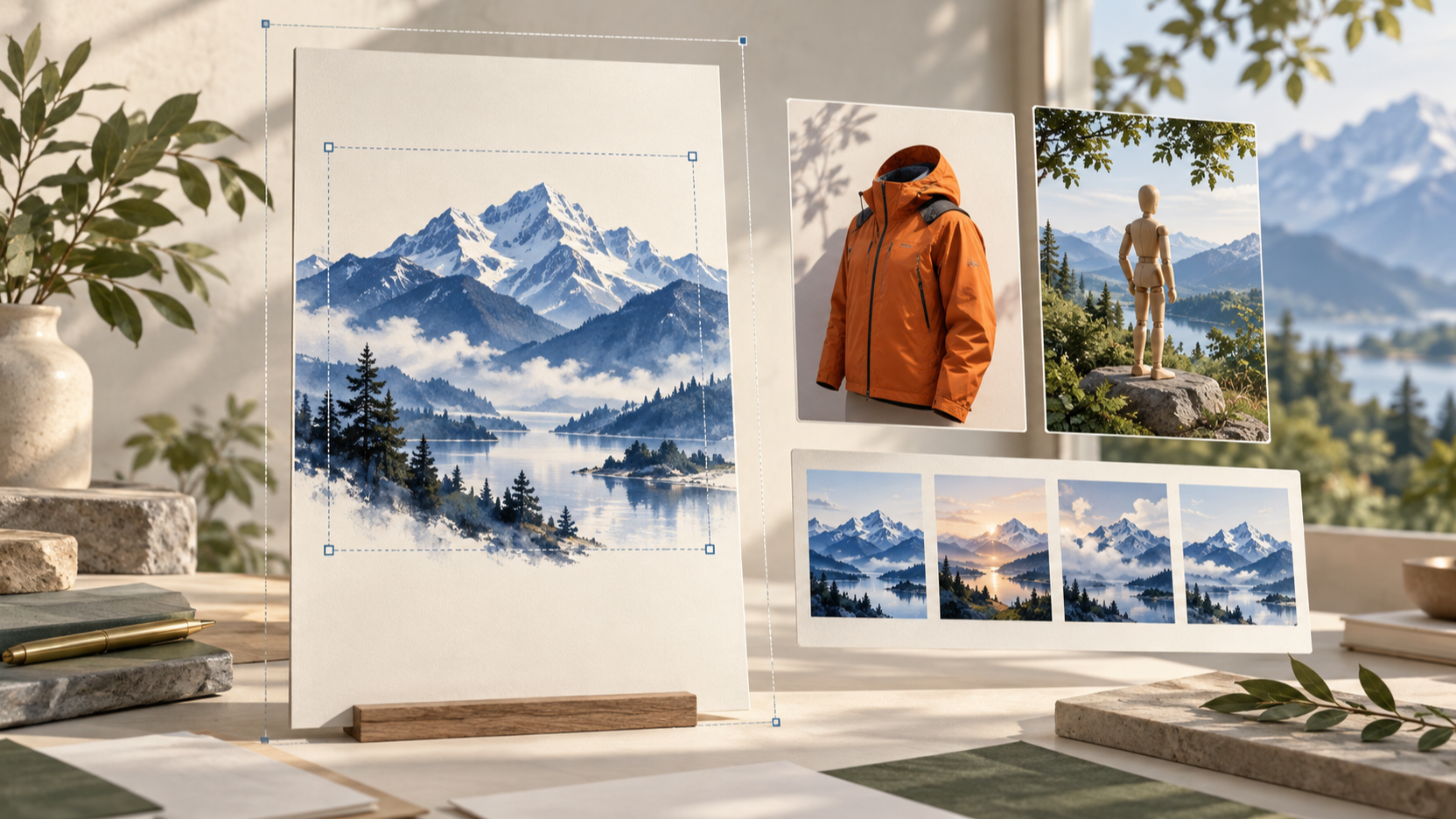
MiniMax H3 Image is MiniMax’s new open-weight model for creating and editing images. Officially named MiniMax-H3-Image, it combines text-to-image generation, reference-based creation, and editing. MiniMax’s November 11 launch announcement highlights 4K output in under ten seconds and support for up to sixteen reference images.
The attraction is practical: develop a scene from a written brief, then refine it using visual references. For designers and developers, the key questions are whether that control survives real assignments, what generation costs, and whether hosted access or local deployment fits the project.
What Changes for Image Creation?
More Room for Detail
According to the official model card, the released checkpoint produces roughly sixteen-megapixel images directly, without an upscaler. Examples include 4096 × 4096 square images and 6272 × 2688 ultrawide images.
Extra pixels can help when cropping campaign artwork, inspecting product surfaces, or adapting a composition to different placements. They do not guarantee accurate lettering, believable anatomy, or correct product geometry. Judge the image at its intended delivery size, then inspect important details at full resolution.
Generation and Editing Together
The same checkpoint handles new compositions and reference-guided edits. That makes it worth evaluating for a workflow in which a rough concept becomes a more specific visual through successive revisions.
A useful trial is a product scene: begin with a clean studio composition, then request a different background while preserving the object’s proportions and viewpoint. Compare both the requested change and everything that should have stayed fixed. A beautiful edit is not necessarily a faithful one.
References with Clear Jobs
Sixteen reference images provide room for several visual requirements, but more inputs are not automatically better. Start with the smallest useful set. Identify which image defines the subject, which supplies the environment, and which establishes the color palette.
Avoid contradictory references unless the prompt explains how to reconcile them. For a brand campaign, preserving one recognizable product may matter more than borrowing every detail from a crowded mood board.
MiniMax H3 Image Performance: What the Claims Mean
MiniMax reports sub-ten-second 4K generation and positions instruction following as a major strength. These are vendor-published claims, not results from our own benchmark.
The official repository describes a checkpoint distilled to six sampling steps. In simple terms, the model uses a short sequence of image-refinement passes. That helps explain its efficiency goal, but does not establish the same latency on every machine or service.
A useful comparison should hold the brief, output dimensions, reference count, and quality criteria constant:
Test | What to Inspect |
|---|---|
Product photograph | Shape, materials, shadows, and small details |
Multi-object scene | Counts, placement, and spatial relationships |
Reference-guided edit | Requested change and preservation of other elements |
Poster concept | Composition, readable text, and usable empty space |
Record elapsed time and how many attempts produce an acceptable result. For production, cost per usable image is more informative than the fastest isolated generation.
MiniMax H3 Image Pricing
As of November 11, 2026, MiniMax’s official API pricing provides these illustrative text-to-image costs:
Output | Standard | Highspeed |
|---|---|---|
1K | $0.02179 | $0.03529 |
2K | $0.02333 | $0.03622 |
4K, Regular Price | $0.06879 | $0.13001 |
4K, Launch Offer | $0.03439 | $0.06501 |
The promotion gives 50% off total request cost when the delivered image contains at least 16,600,000 pixels. It ends November 17, 2026, at 16:00 UTC, exclusive.
These are estimates, not fixed prices for every prompt. Text tokens, prompt enhancement, and reference inputs affect billing. They describe MiniMax’s own API; SeeAPI credits and checkout prices must be checked separately.
How to Try It
Start with a Focused Creative Brief
For a browser workflow, explore the MiniMax H3 Image workspace on SeeAPI. Check the model selected in the generator and the displayed settings and cost before submitting; a page title alone does not identify the active model.
Try a brief with one subject and a measurable composition:
Create a studio photograph of a matte ivory ceramic lamp on a pale stone table. Use soft daylight from the left, a warm gray background, and generous empty space on the right. Keep the entire lamp visible. No text.
For an edit, separate the requested change from preservation instructions:
Replace the background with a softly lit contemporary living room. Preserve the lamp’s silhouette, color, proportions, and camera angle.
These are suggested evaluation prompts, not claims about tested outputs.
Use the API for Integration
The official image generation guide documents separate generation and editing endpoints. The editing route accepts one to sixteen reference images. Standard and Highspeed use distinct model identifiers, so record the exact version when comparing results.
The guide also lists unsupported features: masked edits, transparent backgrounds, and preview images. If your workflow needs precise masking or a transparent product cutout, plan an additional processing step.
Assess Local Deployment Separately
Downloadable weights make custom deployment possible, but they do not make it lightweight. The model card lists 68.65 GB for the image model and a separate 66.7 GB text encoder. Storage requirements are not a VRAM recommendation; consult the deployment instructions before choosing hardware.
Open Weights and Commercial Use
“Open-weight” is the clearest description for this release. The MiniMax-H3-Image Community License includes territorial and commercial conditions. It excludes the EU, UK, South Korea, and US from its applicable territory, and requires separate authorization for hosted services or annualized revenue above $1 million.
Check the license against your deployment plan. Download access should not be interpreted as unrestricted commercial permission.
Should You Try MiniMax H3 Image?
MiniMax H3 Image is worth evaluating when high-resolution output and reference-guided revision matter to your work. Start with a small, representative test set and judge adherence, edit preservation, latency, and total cost together.
To explore a browser-based starting point, visit the MiniMax image creation page, verify the active model, and test one clearly defined brief before expanding your workflow.