


24K Magic AI API
Turn one person photo into a personalized 24K Magic dance video. Choose the output resolution and aspect ratio, then retrieve the finished video when the asynchronous generation completes.
Developer API pricing
Provider: SeeAPI
USD estimate: $0.0037 / credit · Estimated equivalent, not an additional charge.
480p: 285 credits/gen (≈ $1.07/gen)
720p: 620 credits/gen (≈ $2.32/gen)
1080p: 1,537 credits/gen (≈ $5.76/gen)
4k: 3,173 credits/gen (≈ $11.89/gen)
API examples
These examples are real API generations. Each input image, request parameters, and output video below belong to the same successful task.
Example 1
Input
input.reference_image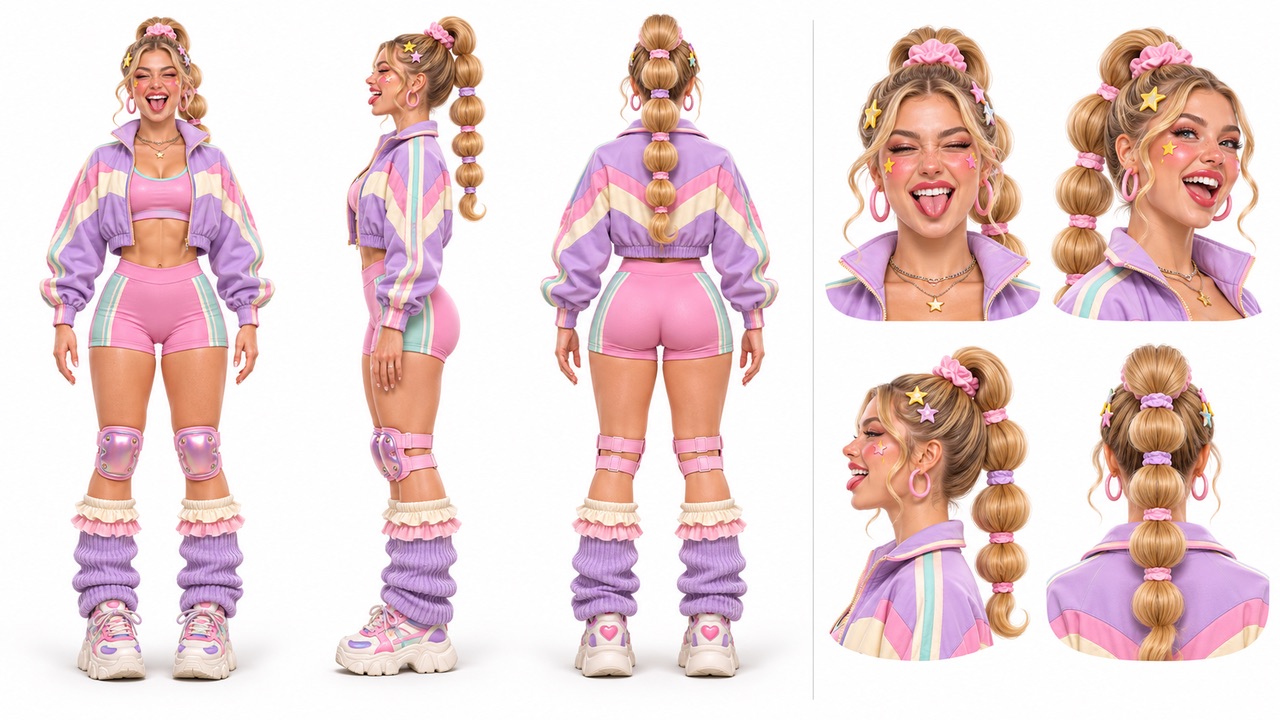
The person image submitted for this generation.
Output 1
Generated dance video
Video returned by the same successful task.
Request JSON
{
  "provider": "seeapi",
  "input": {
    "seed": 0,
    "ratio": "16:9",
    "resolution": "720p",
    "reference_image": "https://static.seeapi.com/files/tyerg9xt7wlb.jpeg"
  }
}
These examples are saved API results. Actual generated results may vary.
Request
/v1/templates/24k-magic-ai/generationsHeader Params
A unique key that identifies this generation request.
- Use a new key for each new generation; retry an unchanged request with its original key.
- An idempotent replay returns HTTP 200 with the existing task and its current status.
- Example:
template-order-001
Body Params
application/jsonThe public provider for this template.
- Send seeapi; other values are rejected.
seeapi- Default:
seeapi- Example:
seeapi
objectrequiredThe person photo and output options for this generation.
- Send only the public fields listed below.
- Replace the example image URL with a direct, publicly accessible URL for your own image.
The person photo and output options for this generation.
- Send only the public fields listed below.
- Replace the example image URL with a direct, publicly accessible URL for your own image.
A photo of the person to feature in the dance video.
- Supply exactly one publicly accessible HTTPS image URL, either as a string or a one-item array.
- URLs must not contain credentials or fragments.
- Supported formats: JPEG, PNG, WebP, BMP, TIFF, and GIF. The image must be smaller than 30 MB.
- Width and height must each be 301–5999 px.
- The image width-to-height ratio must be greater than 0.4 and less than 2.5. These are input image limits, independent of the output video ratio.
- For a clearer identity reference, use a photo with one person and a clearly visible face and outfit.
- Example:
https://static.seeapi.com/files/tyerg9xt7wlb.jpeg
The resolution of the generated video.
- Resolution affects the generation price shown above.
- Use the exact API value 4k for the 4K option.
480p720p1080p4k- Default:
720p- Example:
720p
The aspect ratio of the generated video.
- Choose an explicit ratio for landscape, portrait, or square output.
- Changing the output ratio does not change the input image requirements.
16:99:161:14:33:421:9adaptive- Default:
16:9- Example:
16:9
The seed used to control random variation in the generation.
- Reusing a seed does not guarantee an identical result.
- Default:
0- Example:
0
An HTTPS endpoint that receives generation completion or failure notifications.
- Supply an absolute HTTPS URL when using callbacks.
- Validate the webhook signature as described in Callbacks before processing an event.
Responses
202The generation request has been accepted for asynchronous processing.
- Save generation.id and query GET /v1/generations/{task_id}, or wait for the callback.
- HTTP 202 is not a completed video; retrieve the final assets after the task succeeds.
- The estimated_credits value in the schema example is illustrative, not the price of this template.
objectrequired
The generation ID to use when querying task status.
- Example:
task_example
Public template ID.
- Example:
24k-magic-ai
seeapi- Example:
seeapi
Normalized customer input only.
- Example:
{"reference_image":"https://customer.example.com/input-1.jpg","resolution":"720p","ratio":"16:9","seed":0}
processingRequest-specific template estimate in customer credits; obtain an estimate with Quote Template. The example value is illustrative, not this template's price.
- Example:
10
- Example:
0
- Example:
0
- Example:
2026-01-01T00:00:00.000Z
- Example:
2026-01-01T00:00:00.000Z
false- Example:
false
200An idempotent replay returns the existing generation and its current state.
- Read generation.status to determine whether processing is complete.
- When available, the response includes the recorded result or public error; replaying does not create a new generation.
objectrequired
The generation ID to use when querying task status.
Public template ID.
- Example:
24k-magic-ai
seeapi- Example:
seeapi
Normalized customer input only.
processingsucceededfailedcanceledrefundedexpiredEstimate recorded on the original task in customer credits.
objectoptional
array <object>requiredThe generated assets available after a successful generation.
The generated assets available after a successful generation.
imagevideoThe URL of the generated asset.
true- Example:
true
Invalid request or public template input
Invalid API key
Insufficient credits
API key scope or access denied
Template or task not found or unavailable
Template configuration changed, idempotency conflict, or request still being created
Request body too large
Rate limit exceeded
Service temporarily unavailable
Query Task Status
After submitting a task, use the unified query endpoint to check progress and retrieve results:
Save generation.id from the create response and use it as task_id when querying GET /v1/generations/{task_id}.
Note
- The create response confirms acceptance, not completion.
- When generation.status is succeeded, read the finished video from generation.result.assets.
- If generation.status is failed, inspect the public generation.error_code and generation.error_message.
Callbacks
Manage the secret used to verify generation webhook signatures. Callback URLs are supplied when you create each generation.
Webhook flow
Callback URL per generation.