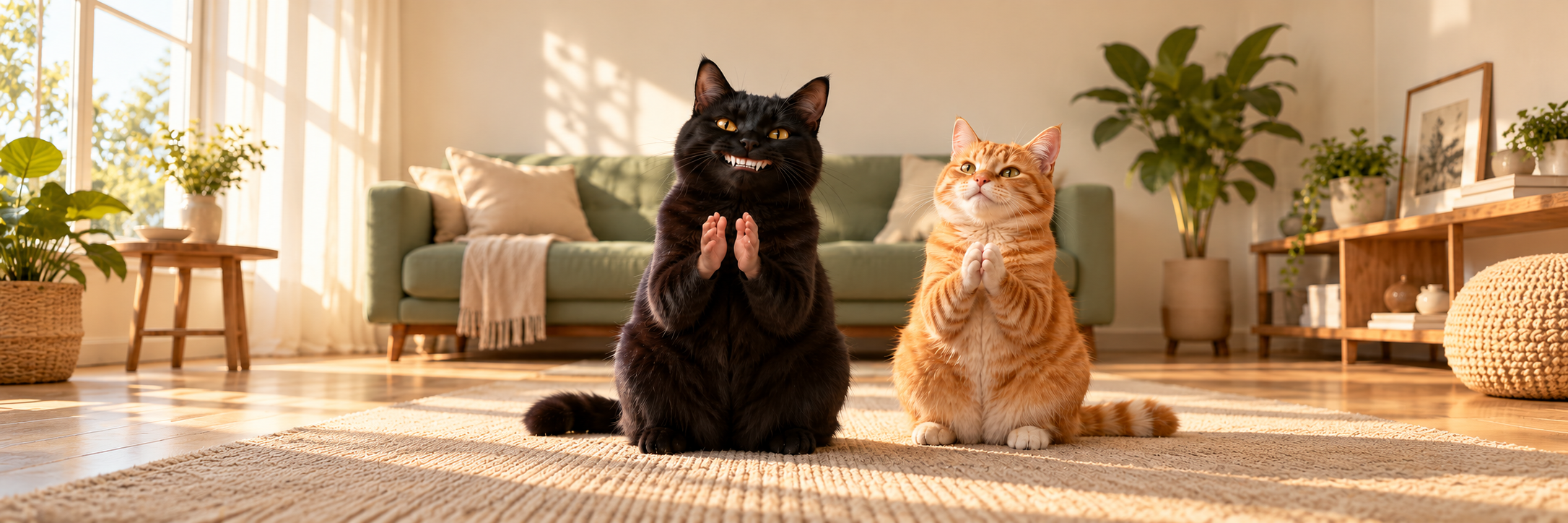
The Clapping Cat Meme features a black cat with an unusually human grin, humanlike hands, and a very serious commitment to applauding. The expression is part proud, part unsettling—the perfect reaction to someone doing something that barely deserves congratulations.
Want your own pet to deliver that slow clap? Start with a clear photo and the SeeAPI video generator. The tutorial below walks through an image-to-video approach, with prompts for both the uncanny meme look and a softer version that keeps your pet's natural paws.
Where Did the Clapping Cat Meme Come From?
Creator Aleksandr Kim, known as @merkurianin, posted the original clapping-cat video on Instagram on September 25, 2026. The clip turns an ordinary feeding moment into an absurd exchange: the cat responds with a toothy grin and applause. Instagram labels the post as AI content.
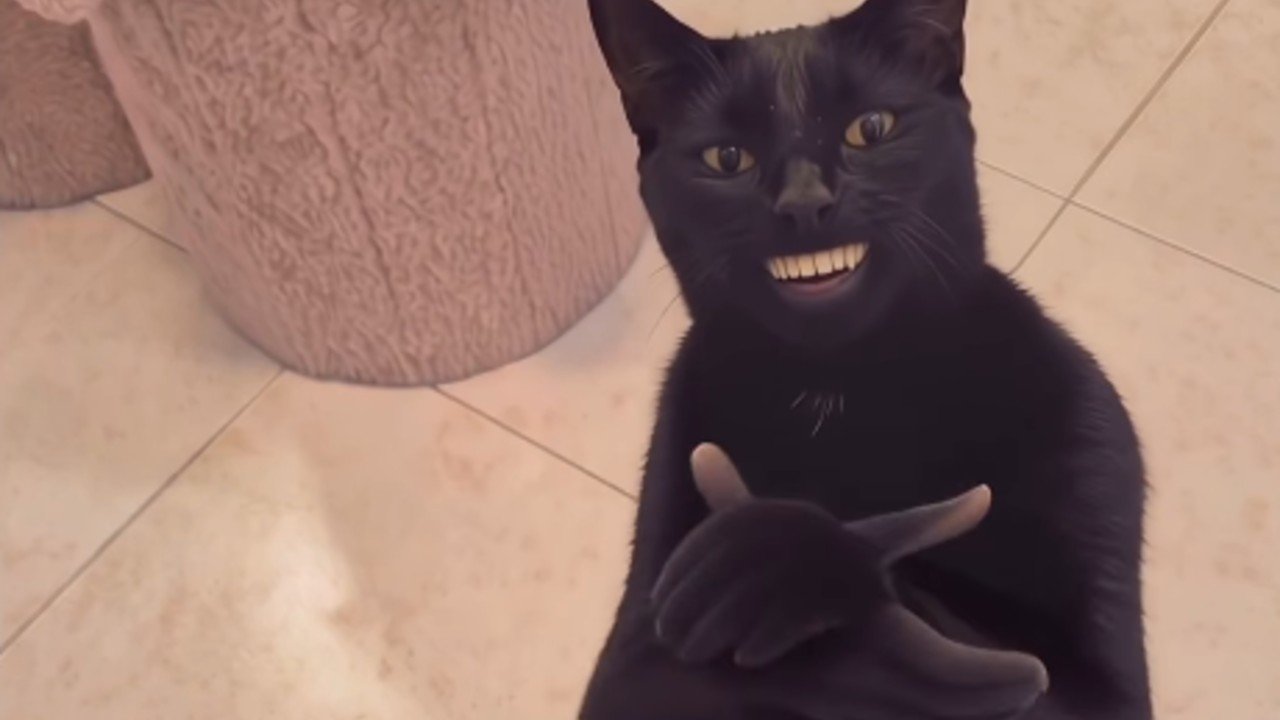
The joke works as sarcastic approval, exaggerated encouragement, or applause at exactly the wrong moment. Imagine finally replying to a message after three days, while your cat applauds as though you have won an award. A short caption gives the clap its meaning; the pet's deadpan expression does the rest.
How to Make Your Pet Clap with SeeAPI
You need one pet photo and a short description of the movement. You can try this with your cat or dog; the aim is to preserve their recognizable face and markings while adding an impossible little performance.
1. Choose a Photo with Room for the Clap
Use a sharp, well-lit photo of one pet facing roughly toward the camera. A seated pose is a useful starting point. Include the chest and both front legs, with space around the body so the paws can move.
Avoid a tightly cropped face, paws hidden under a blanket, or several animals overlapping. A simple background also makes it easier to spot unwanted movement in the finished clip.
2. Upload It in Image-to-Video Mode
Open the SeeAPI video generator. For the controls described here, select Seedance 2.0, then choose Image, which opens Image to Video mode.
Upload your JPG or PNG in the first-frame image area. Leave Add End Frame off for this first attempt. Starting from your photo gives the animation a specific pet to work from.
3. Describe the Action in the Prompt Field
Choose one of the prompts below and paste it into Prompt. The first emphasizes the original meme's humanlike features. The second keeps the paws and a more natural face. Replace “pet” with “cat” or “dog” if you want to be more specific.
Meme-style slow clap:
Animate the pet in the uploaded photo. Preserve its face shape, fur color, markings, and body proportions. The pet sits upright, looks directly at the camera, and gives a small, smug, humanlike toothy grin. Its two front paws become two small humanlike hands attached to its furry forelegs. It slowly brings its palms together, makes contact, then separates them, repeating for three deliberate claps. The hind legs stay planted. Keep the original background, a fixed camera, and one continuous shot. No additional limbs, no scene changes, and no on-screen text.Cute version with natural paws:
Animate the pet in the uploaded photo while preserving its face, fur markings, and original background. The pet sits upright and raises its two front paws in front of its chest. It gently brings the paws together and apart for three slow claps, then holds a proud, attentive expression. Keep natural furry paws and a natural animal mouth. Its hind legs remain planted. Use a fixed camera and one continuous shot, with no extra limbs, no human teeth, and no on-screen text.Keep the first attempt focused on clapping. Adding a dance, handshake, costume change, and camera move gives you more things to fix at once.
4. Set the Clip Length, Framing, and Sound
Start with 7 seconds and 720p, where available. For a vertical reaction video, choose 9:16 and check that the framing leaves room for both paws. Controls can vary when you switch models.
If you enable Generate Audio, add this line to the prompt:
Three distinct claps synchronized with the hand or paw contacts, quiet room ambience, no speech, and no music.5. Review the Motion, Then Add the Joke
Generate the clip and watch the hands or paws closely. Do they meet and separate clearly? Does your pet still look recognizable? Does the background stay steady?
Keep the best result, then add a short caption in your video editor or social app. For example:
“Me after answering one email.”
“My cat when dinner is only 40 minutes late.”
“When the group project finally gets a title.”
Place the caption above the pet rather than over its face or paws. If the generated sound misses the clap, mute it and align a clap sound effect with each visible contact in your editor.
Quick Fixes for a Better Clapping Pet Video
What You See | What to Try Next |
|---|---|
Extra fingers or tangled hands | Try the natural-paw prompt, slow the movement, and remove any extra actions. |
Waving instead of clapping | Emphasize “palms meet at the center of the chest, touch, then separate.” |
Your pet's markings keep changing | Use a sharper photo and keep the original background and a fixed camera. |
The paws leave the frame | Start from a wider photo or adjust the framing to include more of the body. |
The grin looks too strange | Use “natural animal mouth, no human teeth” and let the caption carry the joke. |
Change one thing between attempts so you can judge whether it helped. A clean, readable clap matters more than a complicated scene.
Give Your Pet a Round of Applause
The Clapping Cat Meme works because a tiny gesture becomes an oversized reaction. Pick one photo, choose humanlike hands or natural paws, and give your pet something wonderfully unimpressive to applaud.