AI MODEL DISCOVERY
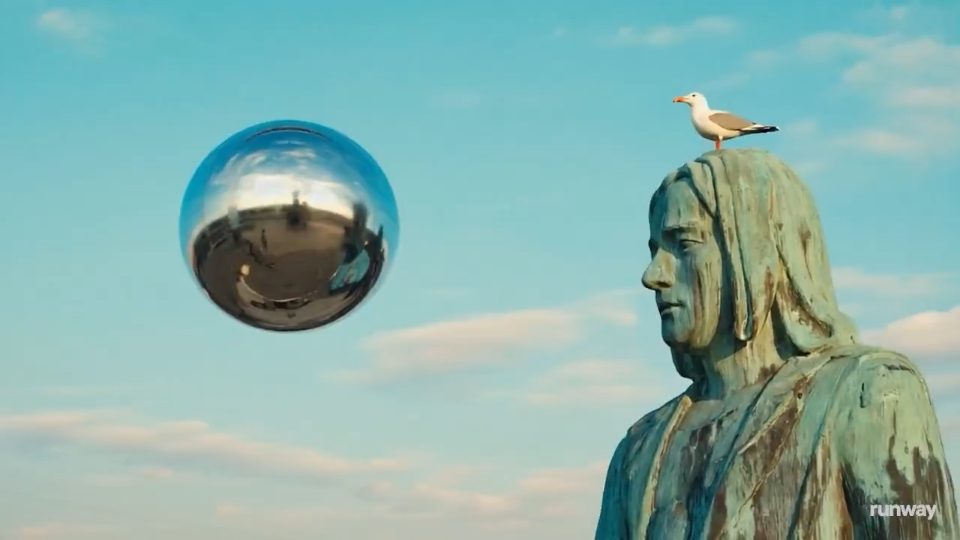
 Runway
Runway Gen4 Turbo
Lightning-fast video generation with versatile input options
Choose Runway Video Models for Reference-Led Shots
PROVIDERS
 Alibaba
 Black Forest Labs
 ByteDance
 Google
 Grok
Grok Kling
Kling Lightricks
 MiniMax
 OpenAI
 PixVerse
 SeeAPI
 TypeSafe
 Vidu
ViduModel release timeline
Prepare Runway Footage for the Edit
Evaluate Runway Video Models through first-frame decisions, motion direction, shot coverage, and sequence review in a reference-led Gen-4 Turbo workflow.

Prepare a Reference with Useful Structure
Prepare a Gen-4 Turbo reference that communicates the scene clearly. For a guesthouse, inspect architecture, lighting, and the room available for movement. Avoid a camera reveal that depends on accurate details the source never shows. When comparing Runway Video Models, retain the approved image and crop notes to distinguish reference problems from motion-direction problems.


Use a Strong Starting Image to Direct a Useful Clip
Runway Video Models belong in a shot-planning conversation, not just a list of generation tools. For the Gen-4 Turbo workflow highlighted here, a useful reference image and a focused motion brief are central creative decisions. This page helps you prepare that reference, separate subject movement from camera direction, and assess the result as footage for an edit. The catalog reflects Runway models published in SeeAPI; it is not the complete Runway creative application or a directory of every third-party model that another platform may offer.

Art-Direct the Starting Frame
A reference-led shot inherits its possibilities from the starting image. Imagine a travel sequence opening on a small coastal guesthouse. The source establishes the building, weather, lighting, and relationship between foreground and sea. If the composition is already confusing, movement is unlikely to solve the underlying visual hierarchy. Choose a reference for Runway Video Models that communicates the location and leaves room for camera or subject movement. Think of it as the first production decision, not a disposable attachment.

Add the Motion the Image Cannot Show
For reference-led Runway Video Models, the image describes the visible setting. The motion prompt should explain the event or camera behavior that makes it a shot. For the guesthouse, you might ask for a restrained approach while curtains move gently in an open window. Decide which movement is primary. A fast orbit, a changing sky, several people entering, and a dramatic zoom create a much more complex assignment. Begin with the behavior that serves the sequence, then test whether additional movement improves it.

Plan Coverage for the Editor
An edit needs complementary shot types. A wide view establishes the guesthouse, a closer shot shows a door opening, and a detail shot might reveal a key resting on a wooden counter. These are complementary pieces of coverage. Plan them together, then brief Runway Video Models on each shot's purpose using a suitable reference. Asking every shot to be a dramatic reveal can make the edit repetitive, even if the individual clips are visually striking.

Judge the Clip in the Sequence
Footage from Runway Video Models can pass a visual review but still need changes to fit the project. Place the candidate into the rough edit with the intended pacing, adjacent shots, and temporary titles. Check whether the camera energy matches the sequence and whether the focal point remains clear under overlays. If the piece uses narration, see whether the shot supports what is being said rather than introducing an unrelated visual event at the same moment.
A Reference-to-Edit Runway Workflow
Work with Runway Video Models from a deliberately chosen first frame to a clip that earns its place in the sequence.
Approve the Starting Frame
Prepare inputs for Runway Video Models by checking composition, geometry, lighting, and room for movement. Prepare a reference that fits the intended placement and preserve the original before cropping or other changes.
Direct One Main Movement
Read the published endpoint documentation, then describe the action or camera behavior that the image cannot specify on its own. Keep secondary motion subordinate to the shot's purpose.
Test It in the Rough Edit
Review clips from Runway Video Models for usable cut points and continuity with adjacent footage. Keep the reference and brief with the accepted candidate, and plan a separate finishing and approval pass.
Runway Video Models: Reference and Editing Questions
Practical answers for evaluating Gen-4 Turbo footage and keeping model capabilities distinct from a full creative application.
No. This page concerns Runway Video Models published in SeeAPI and the tasks documented for their endpoints. A full creative application can include editing tools, project interfaces, other models, and features that are not part of a standalone generation request. Do not assume that a tutorial for the application describes the workflow available here. Start with the relevant card and verify the inputs and controls you need before planning a production process around them.